





Your shopping cart is currently empty...
How To Choose The Right Patch Panel And Keystone Jacks For Your Network
Published: January 16, 2025

Patch Panels and Keystone Jacks
When you’re putting together a network — or helping someone else build one — the two pieces that keep everything neat and easy to work on are patch panels and keystone jacks.
A clean setup helps you fix problems faster and keep cable runs under control. The main questions are simple: how many ports you need, whether the space requires shielded hardware, and which cable type you're working with.
Choosing the Right Patch PanelPort Count
If you're tight on space but need a lot of terminations, a higher-density panel helps you fit everything into fewer rack units. Shielded vs. Unshielded
If shielded bulk cable is being used, shielded patch panels and shielded jacks should also be used — mixing shielded and unshielded defeats the purpose. Choosing the Right Keystone Jacks
More and more people are leaning toward CAT6A because it supports higher speeds and more PoE power. For distributors, it's a strong category to stock. For installers, it helps future-proof the setup. Quick Extras: Cable Management, Testing & LP Cable
Final ThoughtsChoosing patch panels and keystone jacks comes down to three things: port count, shielding, and cable category. Get those right and you can build a clean setup that's easy to troubleshoot and ready for future upgrades. Vericom offers patch panels, CAT5e/CAT6/CAT6A jacks, and the accessories that tie everything together — ready for both everyday jobs and higher-performance installs. |

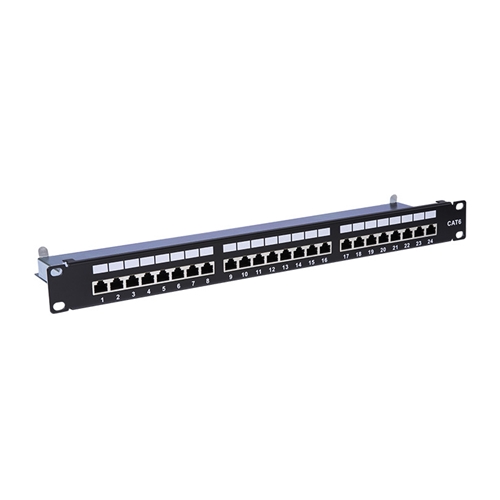
24-port unshielded and 24-port shielded patch panels
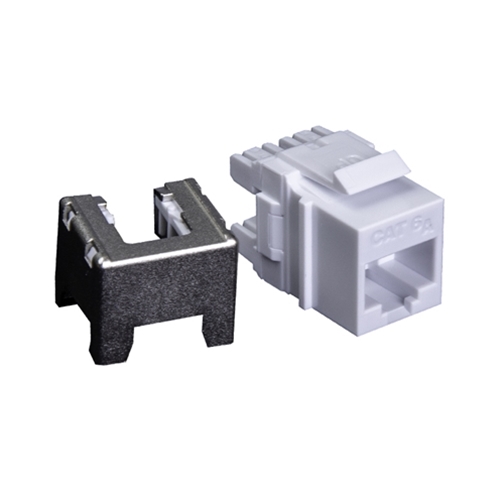
VGS6A™ CAT6A keystone jack

VGS6A™ CAT6A U/UTP plenum LP-certified cable
|